Fabee 1.5.4: your week, and fixing a meal in two taps
A new weekly recap you swipe through, move a food or a whole dish to another meal, remove a food with Undo, and a photo of a plate that logs every food on it.
- Written by
-
 Nico
Fabee 1.5.4 is about your week, and fixing a meal when it went in wrong.
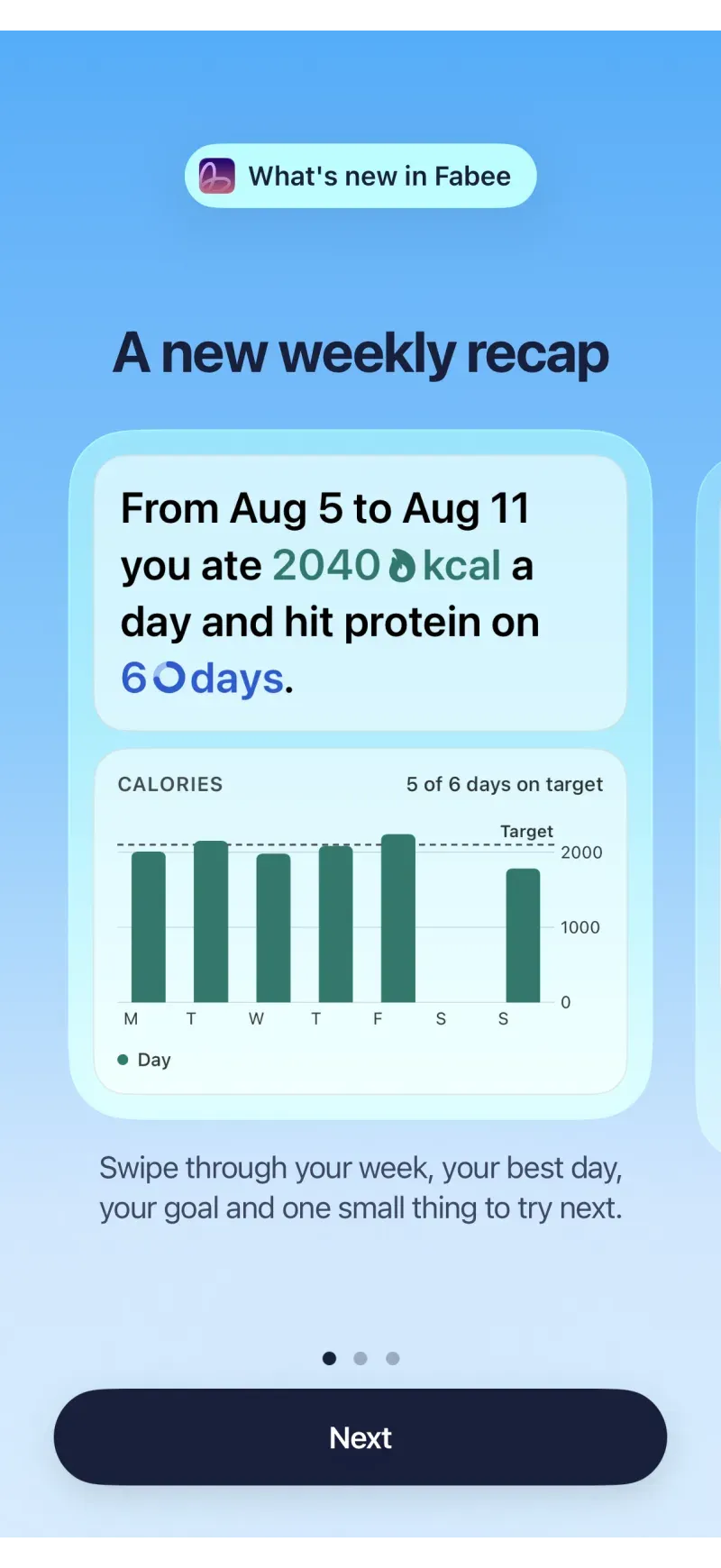
A new weekly recap
Swipe through your week: your calories, your best day, your protein, carbs and fat, your goal and one small thing to try next. An older week shows your goal as it was that week.
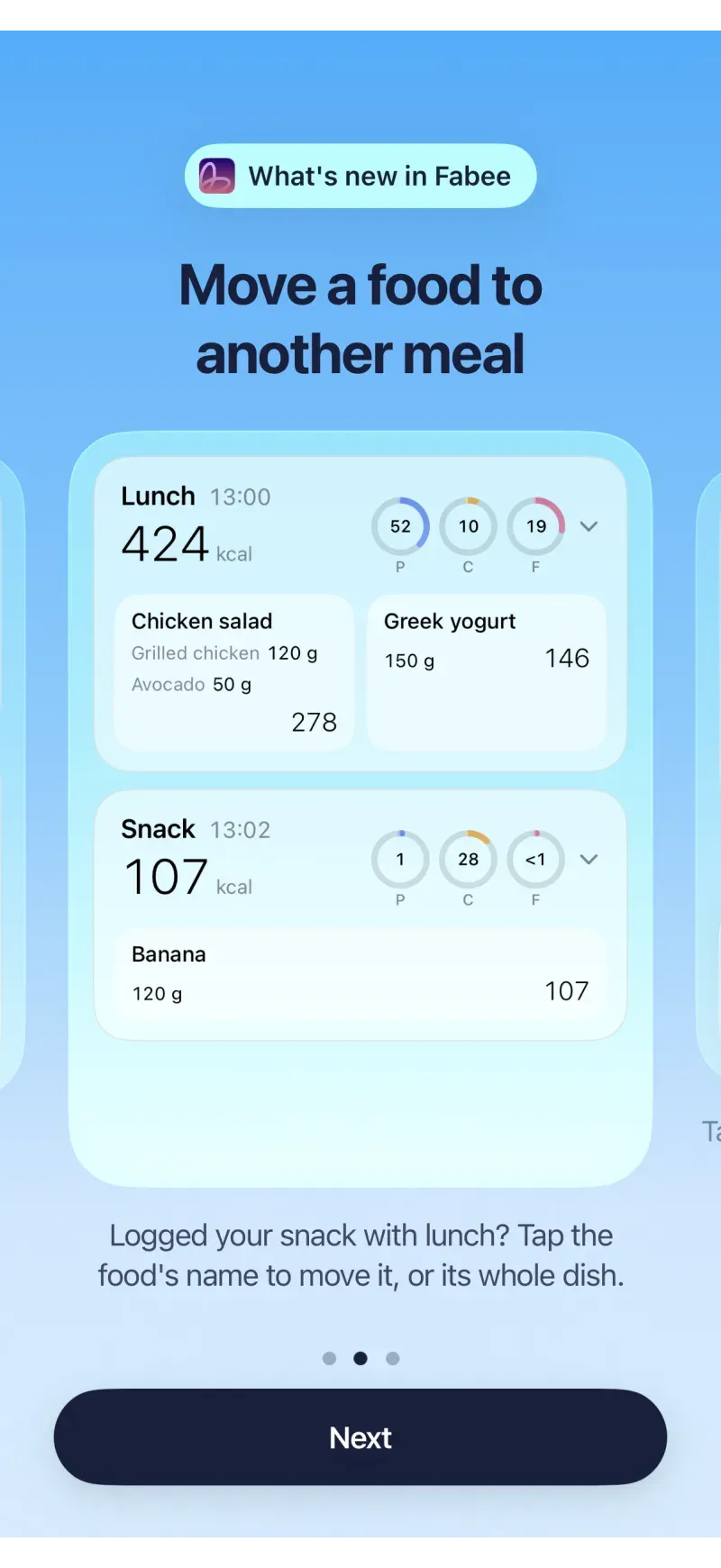
Move a food to another meal
Logged your snack with lunch? Tap the food’s name to move it, or its whole dish, to another meal. Undo puts it back.
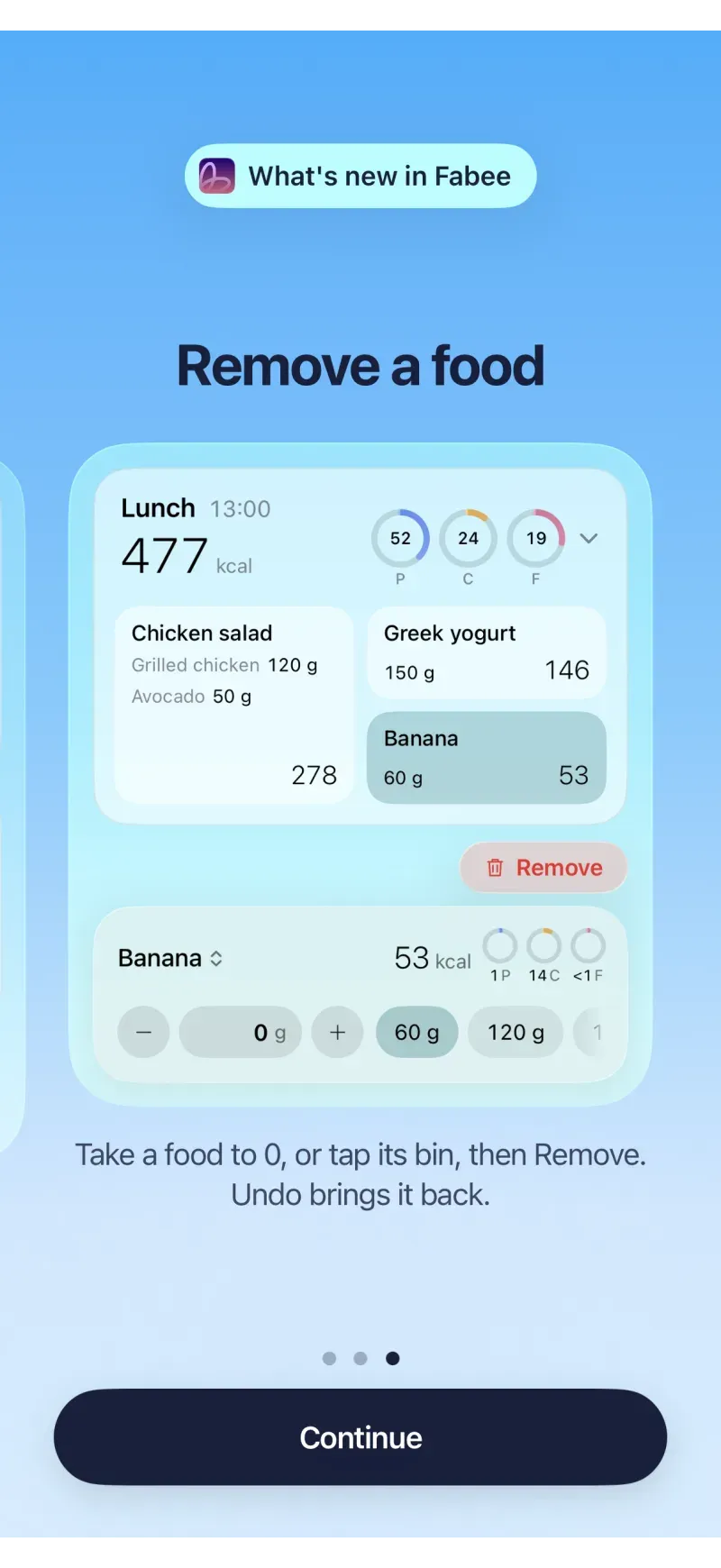
Remove a food
Take a food to 0, or tap its bin, then Remove. Undo brings it back.
Also new
- A photo of a plate logs every food it shows with an estimate, then asks if anything needs fixing.
- A guided first day for new people, with a recap of it.
- Lighter glass for buttons and cards, day and night.
- Fixes a crash when opening an update notification, and replies that came back empty.

Ask Fabee
Your AI nutrition coach
Just text me, like you would a friend. You can say: You could say:
How was my week?
Move the banana to my snack
Remove the cookie
Here's my lunch